E-Commerce Strategies
Want to boost sales on Amazon Live? Here’s the key: use storytelling to connect with viewers and show how your product solves their everyday problems. During Prime Day 2023, Amazon Live hit over 100 million views, proving that effective livestreams can drive sales and reduce returns by up to 40%.
Here’s how to do it:
Start by addressing a common problem your audience faces.
Show your product immediately - don’t make them wait.
Demonstrate how it fits into real-life scenarios.
Speak naturally, like you’re talking to a friend.
Interact with viewer comments in real-time.
Use clear visuals, good lighting, and crisp audio.
Highlight exclusive, live-only deals to create urgency.
These tips help turn casual viewers into buyers by building trust and showcasing value. Ready to make your livestreams more engaging and effective? Let’s dive into the details.

10 Storytelling Tips for Amazon Live Videos to Boost Sales
Amazon Live Influencer SECRETS: Essential DOs and DON'Ts for New Creators

1. Start with a Problem Your Customers Face
The first few seconds are crucial for grabbing attention. To keep viewers engaged, kick things off by addressing a problem they’re likely dealing with. This approach creates an instant connection, reflecting their frustrations back to them.
Take shopping concerns, for example. Many people worry that a lamp that looks perfect online might turn out to be too small for their space. Others dread assembly nightmares with furniture or toys, fearing unclear or overly complicated instructions. And let’s be honest - some customers just don’t have the patience to sift through long product descriptions. They want quick, visual answers.
Amazon Live host Makho Ndlovu puts it perfectly:
I'm not a techie, but I know what matters to customers - camera quality, battery life, design.
By focusing on what truly matters to buyers and skipping the technical jargon, she turns product features into relatable solutions. This is exactly how you should craft your opening - by speaking to the real-life concerns your audience faces.
Think of it like starting a conversation. Selling a stainless steel water bottle? Try opening with: "Frustrated with water bottles that leave a metallic taste in your drinks?" These kinds of problem-driven introductions immediately show viewers you understand their needs.
Here’s the kicker: research shows 60% of consumers are more likely to trust brands that address their specific concerns. When you start with their problem, you’re doing more than pitching a product - you’re showing them you get it. And that’s how you set the stage for your product to shine as the perfect solution.
2. Show Your Product in the First Few Seconds
After grabbing your viewers' attention with the problem, get straight to the point by showing your product right away. Don’t make them wait - put your solution on screen within the first few seconds. This respects their time and keeps them engaged. People decide quickly whether to keep watching or move on, so make those opening moments count.
If your broadcast starts with a blank screen, overly flashy visuals, or a slow build-up, you risk losing them. Angela Apolonio from Threecolts puts it perfectly:
Front-load your most compelling products when audience attention is highest.
By showing your product immediately, you create a visual connection that helps turn casual viewers into curious shoppers. It ensures they know exactly what they’re watching, keeping them engaged and ready for more.
Be strategic about what you show first. If you’re showcasing multiple items, start with your best-sellers or the ones that naturally spark the most interest. Save secondary products for later, once you’ve built trust and momentum.
Hold the product up to the camera so viewers can see it clearly. That instant visual link can transform someone scrolling by into a potential buyer eager to stick around.
3. Create Real-Life Usage Scenarios
After introducing your product, the next step is helping viewers imagine it as part of their daily lives. People connect more with products when they see them in familiar settings. For example, a cozy blanket feels more inviting when it's draped over a couch in a warm living room rather than folded on a shelf. Similarly, patio lights come to life when they're shown glowing during a backyard barbecue.
The goal here is to show, not just tell. If you're promoting a high-performance blender, demonstrate how it makes a quick morning smoothie. Selling a waterproof backpack? Pour water over it to prove a laptop stays dry inside. This approach turns features into visible benefits, making the product's value crystal clear.
Real-life scenarios also help address practical questions. Include common items in the frame to show size and scale - this makes it easier for customers to envision the product fitting into their lives. For products like cleaning supplies or skincare, before-and-after demonstrations are especially powerful for showing results instantly.
Consider where your product naturally fits into everyday life. Morning routines, work-from-home setups, outdoor adventures, or seasonal activities are all great contexts. A noise-canceling headset resonates more when you're wearing it in a bustling home office. A sleeping bag feels more relatable when you show how easily it packs up after a camping trip.
The goal is simple: help your audience see themselves using your product. When they can picture it seamlessly fitting into their routines, they’re much more likely to make a purchase.
4. Speak Naturally and Conversationally
If you sound like you're reading off a script, viewers will lose interest fast. Amazon Live thrives when it feels like a real conversation, not a polished sales pitch. Imagine you're chatting with a friend about a product you truly love - your enthusiasm and authenticity will shine through.
The trick is to talk with your audience, not at them. When someone comments or asks a question, call them out by name and respond directly. This simple gesture turns your livestream into a two-way interaction rather than just a monologue. As Rupanksha Srivastava, Content Writer at Medium, says:
Don't just talk at your audience - talk with them!
This conversational approach helps build trust and credibility, making it easier to turn viewers into loyal customers.
Your energy and personality matter just as much as the message you're delivering. Be yourself, but make sure your tone aligns with your brand. Selling fun, colorful products? Bring a lively and upbeat vibe. Promoting luxury goods? A polished, refined tone works better. The goal is to stay authentic while keeping the conversation natural and focused on offering real value.
Avoid pushy tactics or overusing phrases like "buy now" that can turn viewers off. Instead, focus on how your product can make life easier or better. Mention offers in a way that feels organic. For instance, instead of saying, "Buy this now before it sells out", try something like, "This is part of our one-day promotion, so if it’s been on your radar, now’s the perfect time to grab it."
The more you engage and personalize the experience, the longer people will stick around. Thank viewers for joining, answer their questions as they come up, and encourage interaction through reaction buttons or follows. This interactive approach transforms passive viewers into active participants, creating a stronger connection to both you and your brand. And that connection is the foundation for responding to comments and questions in real time.
5. Respond to Viewer Comments in Real-Time
One of the standout perks of Amazon Live compared to pre-recorded videos is the ability to interact directly with your audience. When viewers take the time to comment or ask questions, they’re showing interest in your brand. Ignoring these moments can mean missing out on building loyalty and trust. Plus, engaging with viewers keeps them watching longer, which is a win for your stream.
Amazon highlights the importance of this interaction in their guidelines:
"Livestreaming is different from other video because it is interactive and engaging, make sure to engage your audience as they watch." - Amazon Live Creator Best Practices
To keep the energy up, actively ask for feedback or encourage viewers to use the "Reactions" button. This keeps the conversation lively and boosts engagement. You can also use the "Pin Comment" feature to spotlight interesting questions or valuable feedback. Doing this not only makes your stream more engaging but also shows viewers that you value their input.
If your stream is particularly busy, consider having a co-host who can focus on monitoring and responding to the chat. To ensure you’re prepared, use "Practice Mode" to rehearse your responses to common questions and talking points. This helps you stay confident and quick on your feet during the live broadcast.
Another great tip? Offer live-only perks like special promo codes. These limited-time incentives encourage viewers to interact and can turn casual watchers into active participants - and even buyers.
6. Demonstrate Your Product Live
Amazon Live gives you the chance to show your product in action. It's not just about talking - it’s about letting viewers see how it works, understand its size, and notice its standout features. According to Amazon, product videos can lower return rates by up to 40% because they help shoppers make more informed decisions before clicking "Add to Cart."
When you go live, always have the product on hand. Make sure it’s available for purchase ahead of time, and take the opportunity to highlight its best features. Use close-ups to showcase textures or details and compare the product to everyday objects to help viewers grasp its size - something that’s often tricky when shopping online.
As you demonstrate, click on each product in the live carousel as you talk about it. This syncs your physical demo with the product listing, making it easy for viewers to buy with a single click. Keeping this flow between your actions and the on-screen highlights keeps your audience engaged and ready to shop.
If your product requires assembly or maintenance, take a moment to walk viewers through the steps. A simple, clear explanation boosts their confidence in the product and shows them how it fits into their lives. For a polished presentation, tools like Open Broadcaster Software (OBS) can help you add multiple camera angles and professional graphics. However, the Amazon Live Creator app is great for most sellers and keeps things straightforward.
Keep in mind that 79% of Amazon Live shoppers say these streams are fun and entertaining. So, make your demonstration feel natural and unscripted - more like a casual chat than an infomercial. Show your product in real-life settings, like blending smoothies in a kitchen or draping a blanket over a couch. This helps viewers imagine how the product could fit seamlessly into their own lives.
7. Use On-Screen Text and Graphics
Adding on-screen text and graphics to your live stream can make your presentation more engaging and informative. These elements help communicate key details quickly, especially since viewers often tune in for short periods or join mid-broadcast.
Amazon Live's custom promotions feature makes it easy to include text overlays in your video. This is a great way to share promotional codes or other important details.
"Use the custom promotions feature to add text of your choice. You can display promotional codes towards the bottom overlay of your live video to attract more sales." - eStore Factory
For maximum visibility, position promotional codes at the bottom of the screen. This ensures they’re noticeable but don’t interfere with your demo. If you’re running a time-sensitive offer, phrases like "Today Only" or "20% Off for Live Viewers" can encourage viewers to act fast. And since new viewers are constantly joining, it’s a good idea to repeat your call-to-action throughout the stream.
Design your overlays to match your brand’s style. Use high-contrast text on solid backgrounds to ensure readability - especially on mobile devices, where most Amazon Live viewers watch. If your audience skews younger, bold and energetic graphics might resonate better. For luxury or premium products, a clean and elegant design works best.
Don’t forget accessibility! Adding captions with an SRT file ensures your stream is inclusive for those watching without sound or who are hearing-impaired. This simple step broadens your reach and keeps more viewers engaged, no matter how they experience your content.
8. Tell Viewers How to Find Your Product
If viewers can't figure out where to find your product, they won't buy it. That’s why clear verbal instructions are key - especially since people join and leave live streams at different times. What you said earlier won’t help someone who just tuned in.
Guide your audience to the product carousel next to your video. Use specific instructions like, "Click on the first item in the tray," to make it easy for them. If you're showcasing multiple products, work with a team member to highlight the current item in the carousel as you talk about it. This way, the featured product moves to the front, making it instantly visible. Remember, viewers on different devices may need tailored directions.
For those watching on Prime Video or Fire TV, let them know they can open the Amazon Shopping app on their phone and search for "shop the show." This pulls up your featured products, making it simple to go from watching to shopping.
Repeat your call-to-action every few minutes to engage new viewers. You can also point them to your Amazon Storefront if you want them to browse your entire product lineup, not just the items featured in the stream.
Since Amazon doesn’t allow external links in live videos, keeping viewers within the platform is crucial. Clear, repeated instructions help casual viewers take the next step and make a purchase.
9. Use Good Lighting, Sound, and Camera Equipment
The quality of your production can make or break how viewers perceive your brand. A shaky camera, dim lighting, or muffled sound can undermine even the best product demonstrations, making them feel unpolished. On the flip side, clear visuals, crisp audio, and a stable connection can enhance your storytelling and help establish trust during your Amazon Live sessions.
Audio is key. Believe it or not, poor audio quality will drive viewers away quicker than subpar video. Built-in microphones often pick up too much background noise, so investing in an external mic is worth it. If you want to take things up a notch, consider using an audio interface for even better sound quality.
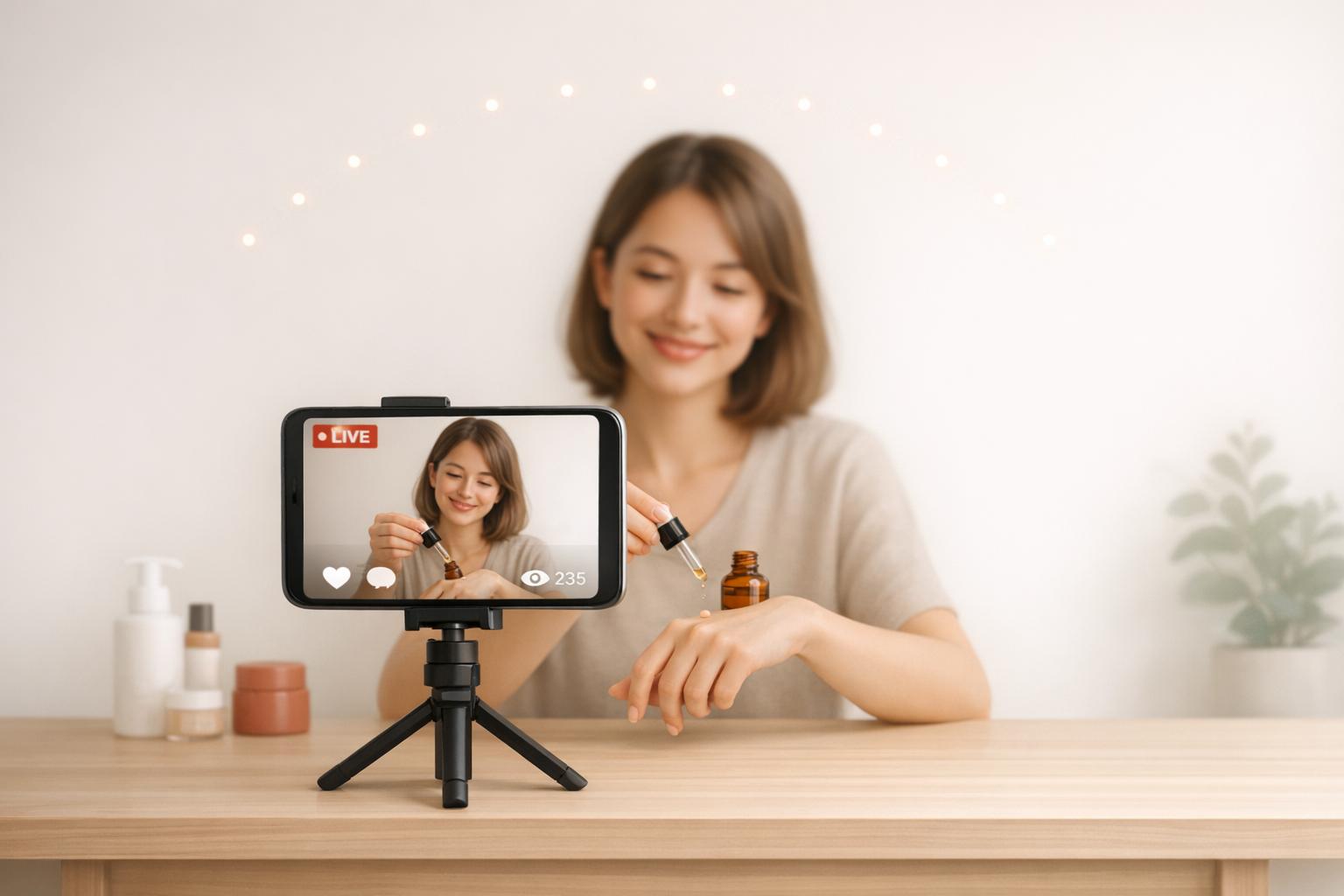
For video, a stable image is essential. Use a tripod or camera stand to keep your shots steady and professional. Lighting is just as important - ring lights or soft lights are great for highlighting textures, colors, and details, making your products look their best. These simple additions can significantly improve how your video comes across to your audience.
If you're ready to step up your production, try encoder software like OBS. It lets you manage multiple angles, add motion graphics, and incorporate B-roll footage for a more dynamic presentation. Always test your setup at least 24 hours before going live to avoid surprises.
Don’t forget about your internet connection - it’s the backbone of any live stream. Use a wired connection whenever possible, with minimum speeds of 50 Mbps for downloads and 20–30 Mbps for uploads. Disconnect other devices on the network to ensure a smooth, uninterrupted stream.
10. Highlight Value and Limited-Time Offers
Give your audience a compelling reason to act fast. Showcase your product's value and create a sense of urgency with exclusive, live-only deals that encourage viewers to make a purchase on the spot.
Start by announcing your deals within the first few minutes of your stream. This grabs attention early, before viewers have a chance to click away. Use on-screen tools to display promo codes and keep them visible throughout the broadcast. Repeating the offer periodically ensures that latecomers still catch the deal. These early announcements set the tone for the exclusive, time-sensitive offers you’ll share later.
Live-only promotions work because they reward instant engagement. Share unique coupon codes that are ONLY available during the stream to drive immediate action. Here's a fact to keep in mind: 47% of viewers are more likely to buy something they see in a live video, and 60% of millennials admit to making impulse purchases when they experience FOMO (Fear Of Missing Out).
Focus on one-day deals to create urgency. Pair this with clear demonstrations of your product’s value - like close-up shots showing textures, materials, or features - to give viewers the confidence they need to buy. Build excitement by promoting these limited-time offers on social media before your stream, so your audience comes ready to shop.
Conclusion
Amazon Live videos offer a direct line to your customers, and storytelling can turn ordinary product demos into unforgettable shopping moments. By addressing relatable challenges, showcasing real-time product use, and fostering interactive conversations, you create a connection that resonates and encourages purchases.
Time is precious. Show off your product effectively, use on-screen text to clarify details, and guide viewers smoothly through the experience. Combine these strategies with high-quality lighting, clear audio, and enticing limited-time deals to build trust and reduce hesitation. Well-executed video content can even cut product returns by up to 40%, as customers gain a clear understanding of what they’re buying.
"Livestreaming in real-time... allows you to showcase your product and connect with the views on a deeper level." - Nischita Narayan, Content Strategist, Sequence Commerce
Looking to take your Amazon Live game to the next level? eStore Factory has you covered. From choosing the right products to creating professional videos, they’ll help turn your livestreams into a dynamic sales tool that boosts engagement, strengthens your brand, and grows your revenue.
FAQs
How long should my Amazon Live intro be?
Your Amazon Live intro needs to be short and engaging to grab attention right away. Aim for a quick, 2-second introduction to hook your audience and keep them watching. A brief, focused start increases the chances of retaining viewers throughout your stream.
What should I demo live to reduce returns?
One way to cut down on returns is by showcasing your products through live demonstrations. This approach helps customers clearly understand the features, size, and functionality of what they're buying. It's especially useful for items that are frequently returned due to sizing issues or mismatched expectations.
Here’s what you can do:
Use Detailed Demonstrations: Show how the product works and highlight key details. Let customers see it in action so they know exactly what to expect.
Provide Sizing Guides: For items like clothing or furniture, include clear sizing charts or visual comparisons to reduce confusion.
Show Real-Life Usage: Demonstrate how the product fits into everyday life, giving customers a better sense of its practicality.
Taking it a step further, hosting live Q&A sessions can be a game-changer. These sessions allow customers to ask questions and get immediate answers, clearing up any doubts before they make a purchase. By aligning expectations upfront, you can significantly lower the chances of returns.
What basic gear do I need to go live?
To start streaming on Amazon Live, you'll need a compatible device - an iPhone or iPad works best. To make your stream look polished, consider these essentials:
Ring light: Provides better lighting for a professional appearance.
Phone mount or tripod: Keeps your device steady and ensures smooth visuals.
Optional gear: A selfie stick or external microphone can enhance audio quality.
With these tools, you'll be ready to deliver a high-quality, engaging stream.